
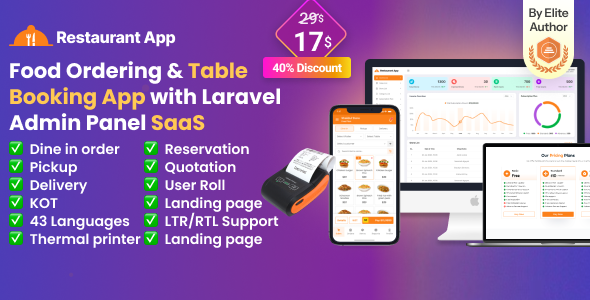
banner

Restaurant App SaaS – Food Ordering I Table Booking I Restaurant App with Laravel Admin Panel

img

Restaurant App SaaS – Food Ordering & Table Booking Flutter App with Laravel Admin Panel
Transform your restaurant business with this all-in-one SaaS solution! Built with Flutter for a seamless mobile experience and Laravel for powerful backend management, this app supports unlimited users and is perfect for restaurants, fast food joints, coffee shops, burger shops, and more. Two click invoice printer support 58mm & 80mm printer !!!

✔ 11+ Payment gateway
1. Restaurant SaaS App – Regular license support SaaS application unlimited user can use it under subscription system.
2. Waiter App – You add unlimited waiter and staff under user roll .
3. Chef App – You add unlimited chef under user roll .
✔ Dine in Table – Let customers book tables in advance.
✔ Pickup – Let customers take pickup from restaurant.
✔ Delivery – Water can delivery to customer house
✔ Quotations – You can create quotation for you customer and can convert to sale
✔ Table Reservation – Let customers book tables in advance.
✔ Order – Customer can order by online and over then call.
✔ Laravel Admin Panel – Full control over orders, bookings, menus & users.
✔ SaaS Ready – Manage multiple restaurants under one system.
✔ Regular License & Support – Reliable updates and assistance.

 Key Features: 
✔ Food Ordering System  – 3 step bill printing &  secure payments. 

Boost your business with this scalable, user-friendly app—get yours today on CodeCanyon!

POS Pro pos pro pospro

POS Pro pos pro pospro 

\\

Offer: If you buy the extended license you will get free reskin change Logo, theme color, full setup and upload play store white level 
Envato suggests buying an extended license for a SaaS project. Note: You can now print a sale invoice using any bluetooth thermal printer. All new sales invoice will print automatically. You can also print previous sales invoice from sales report.

 extend license image

Demo Url: https://restaurantapp.acnoo.com/
Admin Url: https://restaurantapp.acnoo.com/login

Super Admin: superadmin@acnoo.com
Password: superadmin
Admin: admin@acnoo.com
Password: admin
Manager: manager@acnoo.com
Password: manager

Demo Credentials

Restaurant: restaurant@acnoo.com
Password: 123456
Chef: chef@acnoo.com
Password: 123456
Waiter: waiter@acnoo.com
Password: 123456


Skype

whatsapp skype facebook Youtube suport

Demo Url: https://restaurantapp.acnoo.com/login


Key Features:

Admin Dashboard:

1. Dashboard:

  • Overview of the system’s performance and key metrics.

2. Advertising:

  • Manage and track your advertising campaigns.

3. Store List:

  • View and manage a comprehensive list of all registered businesses/shops.

4. Category List:

  • Organize businesses into specific categories for better management and searchability.

5. Subscription Plans:

  • Create and manage subscription plans for your users. Includes options for different pricing and benefits.

6. Staff Management:

  • Add, remove, and manage staff members and their permissions.

7. Reports:

  • Generate and view various reports related to business operations and performance.

8. Messages:

  • Here, you’ll find all the messages that have been sent to you from the website’s contact page.

9. CMS Manage:

  • You can manage your website content from here.

10. Roles & Permissions:

  • Define roles and assign permissions to control access to different parts of the system.

11. Settings:

  • Configure system settings and preferences to suit your needs.

App Features:

1. Product Catalog:

  • Easily add item, edit, and organize products with a user-friendly interface.
  • Categorize products for efficient inventory management.

2. Sales Processing:

  • Smooth and efficient POS transactions, supporting various payment methods.
  • Generate and print receipts or send digital receipts you can share via whatsapp, email Team, facebook etc.

3. Parties:

  • Create detailed profiles for customers like dealer, retailer and wholesaler, including contact information, opening balance, and pricing.
  • Maintain supplier details, including contact information, products, and pricing.

4. Sales & Purchase list:

  • A dynamic and organized list that displays all completed sales products and transactions.
  • List displaying all completed purchase products and transactions.

5. Sales Edit:

  • Easily can edit sales.

6. Reports:

  • Provides an overview of sales, purchase, due for a specific day.
  • Reports can print from apps by bluetooth pos printer and web by printer.
  • Also can share whatsapp, skype, facebook etc.

7. Loss/Profit:

  • Receive automated, detailed Profit and Loss statements at regular intervals.
  • Gain instant access to a visual representation of your business’s financial standing.

8. Stock:

  • Easily can monitor the movement of products in and out of the product.
  • This information is updated in real-time as sales are made, new stock is added or stock is low.

9. Inventory Management:

  • Real-time tracking of stock levels to prevent overstock or stockouts.
  • Automated alerts for low inventory and restocking suggestions.

10. User-Role:

  • Assign roles and permissions to different users for enhanced security and control.
  • Collaborate seamlessly with your team for efficient operation.

11. Subscription Plan:

  • Sign up and select the subscription plan that meets your business requirements.
  • Easily upgrade your plan as your business evolves.

12. Multi-User Access:

  • Assign roles and permissions to different users for enhanced security and control.
  • Collaborate seamlessly with your team for efficient operation.

13. User-Friendly Interface:

  • Intuitive design for easy navigation and quick learning curve.
  • Customizable UI to adapt to different business needs.

Benefits of Restaurant App

  • Scalability:

Grow your business effortlessly with a scalable solution that adapts to your needs.

  • Reliability:

Realy on a robust and secure Laravel backend for data integrity and reliability.

  • Cost-Effective:

SaaS model ensures affordability with no upfront infrastructure costs.

  • Real-Time Insights:

Make informed decisions with real-time analytics accessible to super admins.

  • Efficiency Boost:

Streamline your business operations, from inventory management to sales processing, for maximum efficiency.

  • Centralized Control:

Super Admin capabilities provide centralized control over your entire business network.
Restaurant App SaaS – Food Ordering & Table Booking Flutter App with Laravel Admin Panel (Flutter App+Super Admin backend Laravel) is not just a POS system; it’s a comprehensive solution that empowers super admins and admins like to streamline operations, enhance efficiency, and drive business growth.

Application Features:

  • SaaS Ready Application with Laravel backend
  • Easy to modify subscription package
  • Clean Code and a well-structured project
  • The single code base for both Android & iOS
  • Thermal Bluetooth printer integration with automatic and manual printing
  • Fully responsive UI
  • Best UI & UX
  • Great animation
  • Easy to customize
  • Free lifetime updates & stunning customer support
  • Easy to integrate into your project

Flutter and Android Studio Setup Guide

Follow these steps to set up your development environment for Flutter:

Step 1: Install Flutter

Download and install Flutter by following the official instructions:

Flutter Installation Guide

Step 2: Install Android Studio

Download and install Android Studio from the official website:

Download Android Studio

Step 3: Set Up Android Studio

  • Open Android Studio.
  • Go to File > Settings (on macOS, go to Android Studio > Preferences).
  • Navigate to Appearance & Behavior > System Settings > Android SDK.
  • Ensure that the Android SDK and necessary tools are installed.

Step 4: Configure Flutter in Android Studio

  • Open Android Studio.
  • Go to File > Settings (on macOS, go to Android Studio > Preferences).
  • Navigate to Plugins and search for “Flutter”.
  • Install the Flutter plugin and restart Android Studio.
  • After restarting, open File > New > New Flutter Project to start a new Flutter project.

Step 5: Set Up Your Device

  • Enable Developer Mode on your Android device.
  • Enable USB Debugging from the Developer Options.
  • Connect your device to your computer via USB.

Once you have completed these steps, you are ready to start developing with Flutter and Android Studio.

\\ \\ \\ \\ \\ \\

Version 2.3  update ( 07/10/2025)
User Roll issue fixed
Added Restaurant Add-on
Fixed some design issue
Gateway status issue fixed
Fixed hugeicons version issue
Fixed Customer Delivery Address issue
Updated Models to match api responses
Project updated to Flutter SDK 3.35.4.
Dependency cleanup and updated KOT invoice ticket design.
Version 2.2  update ( 25/08/2025)
User Role & Permission added
Flutter version update  3.35.1
Theme UI update 
Performance improved 
Version 2.1  update ( 05/08/2025)
1. Quotation sale added 
2. App, web Landing page UI  Theme update 
3. code optimized 
Version 2.0  Big update 
===========
General
Updated Flutter SDK to latest version (3.32.8)
Updated dependencies.
Features
Added Ingedient Module

Updated Purchase Module:

Added Purchase Ingredient
Updated for Due Payment
Updated Party Module:

Added Customer Delivery Address Management
Updated Party List for easier navigation
Updated Item Module

Added Item Menu Management
Added Item Modifier
Added Item Modifier Group
Added Staff Module:

Added Staff Management
Updated Order Module:

Added Dine-In, Pickup, Delivery Order
Added Waiter Asssingment
Updated Table Booking
Added Coupon Module:

Added Coupon Management
Added Coupon Usage
Updated Payment Module:

Added Full Payment
Added Due Payment
Added Tip
Added Coupon
Admin panel theme update and lots of update API also
Version 1.2 update 
Updated product structure.
Added menu items.
Added item categories.
Implemented item modifiers.
Changed project theme.
Flutter version update 3.32.8
Updated order and purchase processes based on the new product structure.
Version 1.1 update 
Added Landing page 
Update Flutter version 3.32.5
code optimized
  • Last Update
    7 October 2025
  • Files Included:
    Dart, YAML, JavaScript JSON, .java, .kotlin, .swift, JavaScript JS, CSS, Sass, PHP, HTML
  • Software Version:
    Flutter 3.x
  • Tags:
    FOOD APP, food delivery, Kitchen Display, online menu, online order system, qr ordering, restaurant, restaurant app, restaurant app sas, restaurant management system, restaurant order system, restaurant pos software, restaurant software